


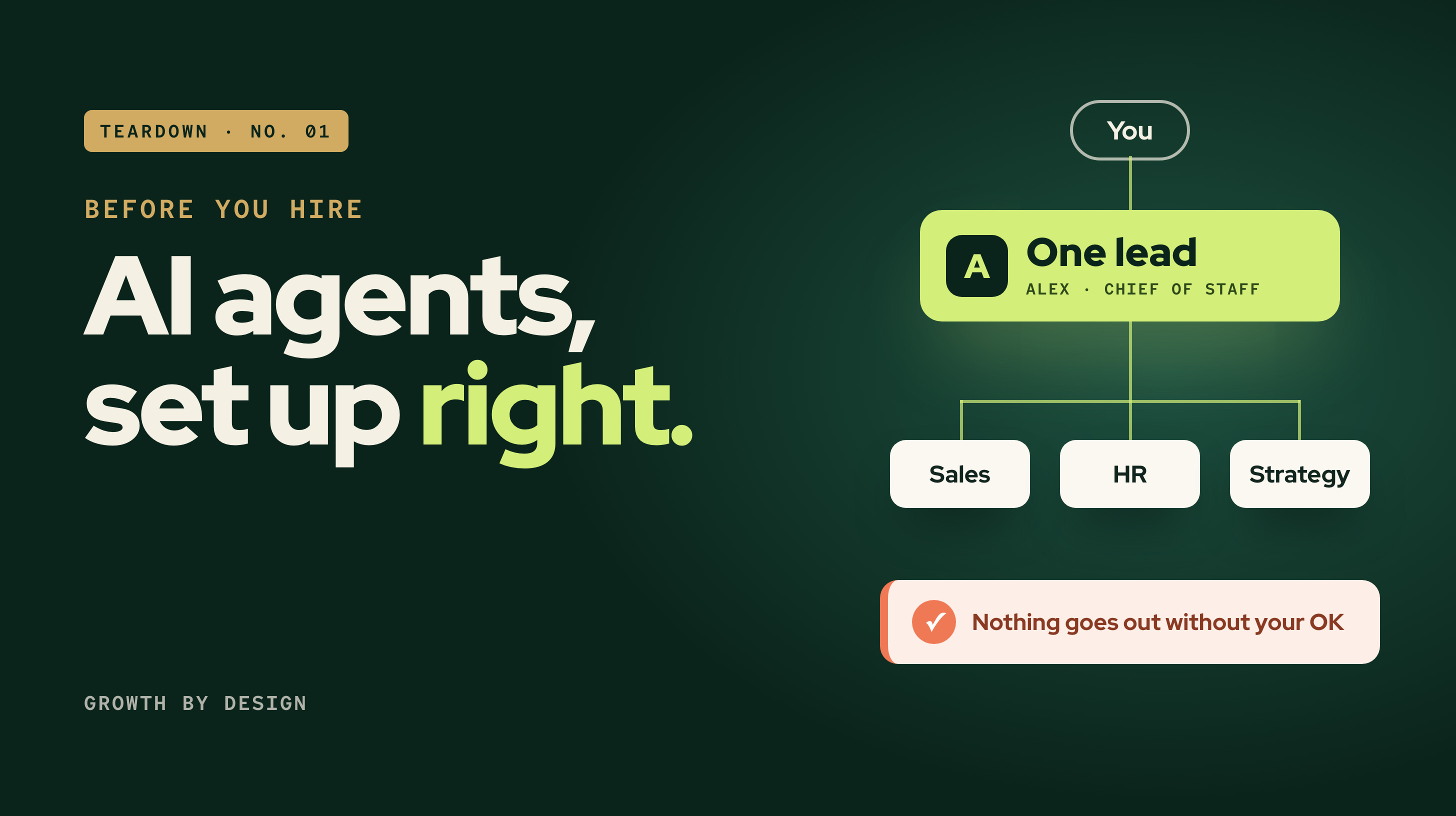
Three weeks away. So many missed calls nobody could count them. 73 follow-up emails drafted and never sent.
That was the state of one client's sales pipeline when the director came back from vacation. The first fix on the table was to hire a salesperson.
We set up a team of AI agents in Claude first. It took about an hour. This is the full walkthrough: how the setup grew, what the director sees each morning, how the prompts work, and the templates to copy.
The company: an owner-led e-commerce and warehousing business in B.C. We've removed names.
---
1. Where the leads were getting lost
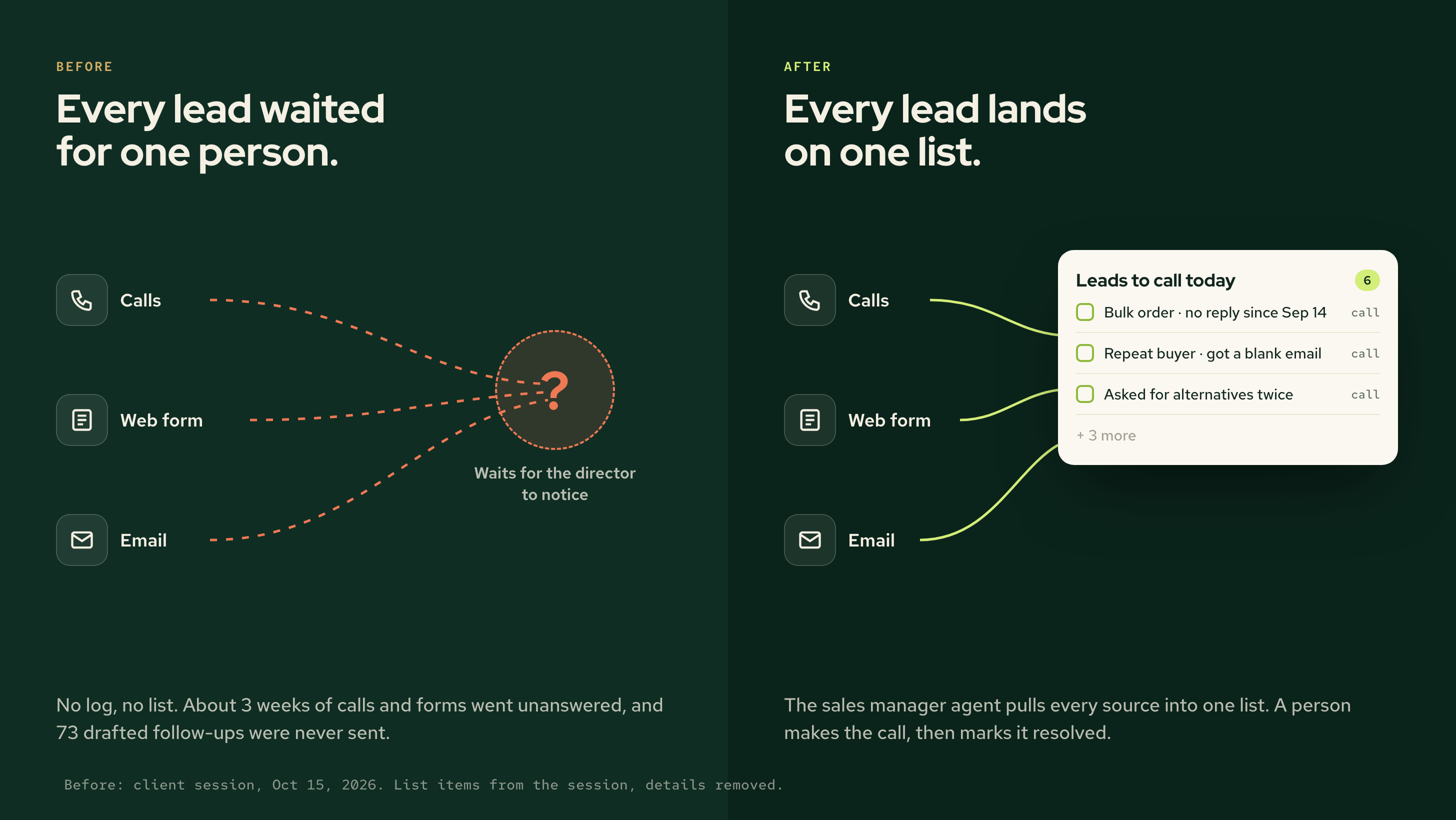
Leads came in three ways: phone calls, a web form and email.
Calls rang a teammate's phone first and went to the director after three rings. Nobody logged them. Forms landed in an inbox someone checked when they had time. Email sat in the director's inbox.
The teammate covering wasn't idle. He spent about 2% of his time on this business and 98% on the other companies he supports.
So the gap was coverage, and nothing made it visible. The sprint came in below target for the first time.
If you can't see the leads you missed, a new hire can't see them either.
2. How the setup grew
The agent team didn't appear in a day. It sat on a year of groundwork.
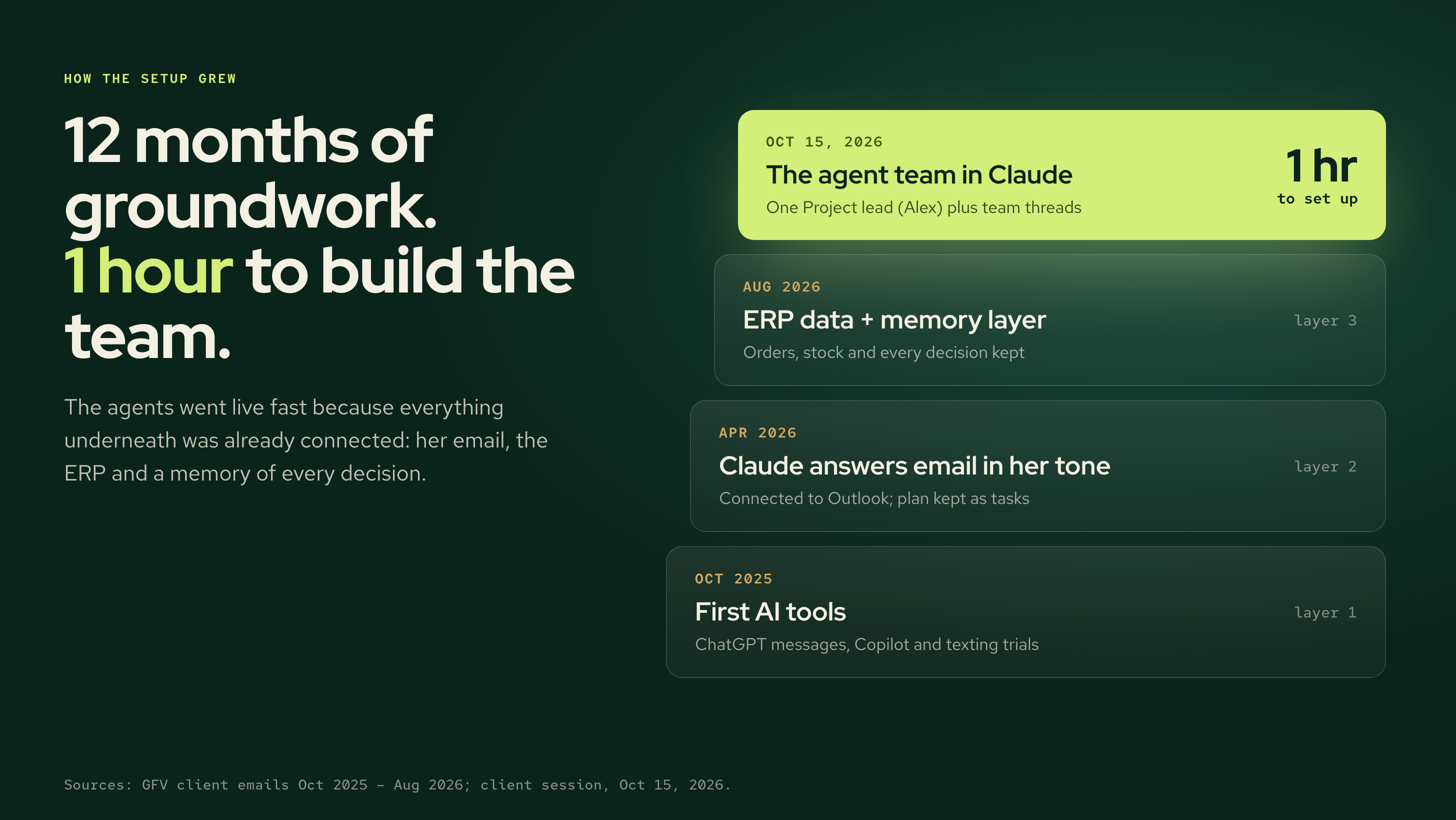
Oct 2025: the first AI tools. ChatGPT for personal messages, plus trials of Copilot and texting from the desktop.
Apr 2026: Claude connected to Outlook, so it could answer email in the director's own tone. The plan lived as a list of tasks, not a document.
Aug 2026: the ERP connected, plus a memory layer that keeps every decision and change.
Oct 15, 2026: her previous AI tool kept running out of credits, so we moved everything into Claude. We updated Claude on her phone, raised the effort setting from low to medium, and built the team.
"The reason why we could do it so quickly is because of all the backend infrastructure we already built."
3. The Project lead conversation: Alex
The center of the setup is the Project lead conversation in Claude's new Projects feature, which is in beta. You tell one conversation what needs doing, and it starts a thread for each task. (If you don't have it yet, Anthropic has a waitlist.) She created a new project, named the lead Alex, and gave it one goal:
You are my Chief of Staff, managing the agents under you on executing [the company] GTM. Your focus is to anticipate needs, understand the working engine. Manage our named agents by function to execute on our critical path and keep me updated.
That was the whole brief. We connected the project to the company's shared file repository, so Alex had somewhere to keep plans and read handovers.
Then one rule for her:
"Alex is your main lead. Forget anything else exists. Assume all you can see is Alex."
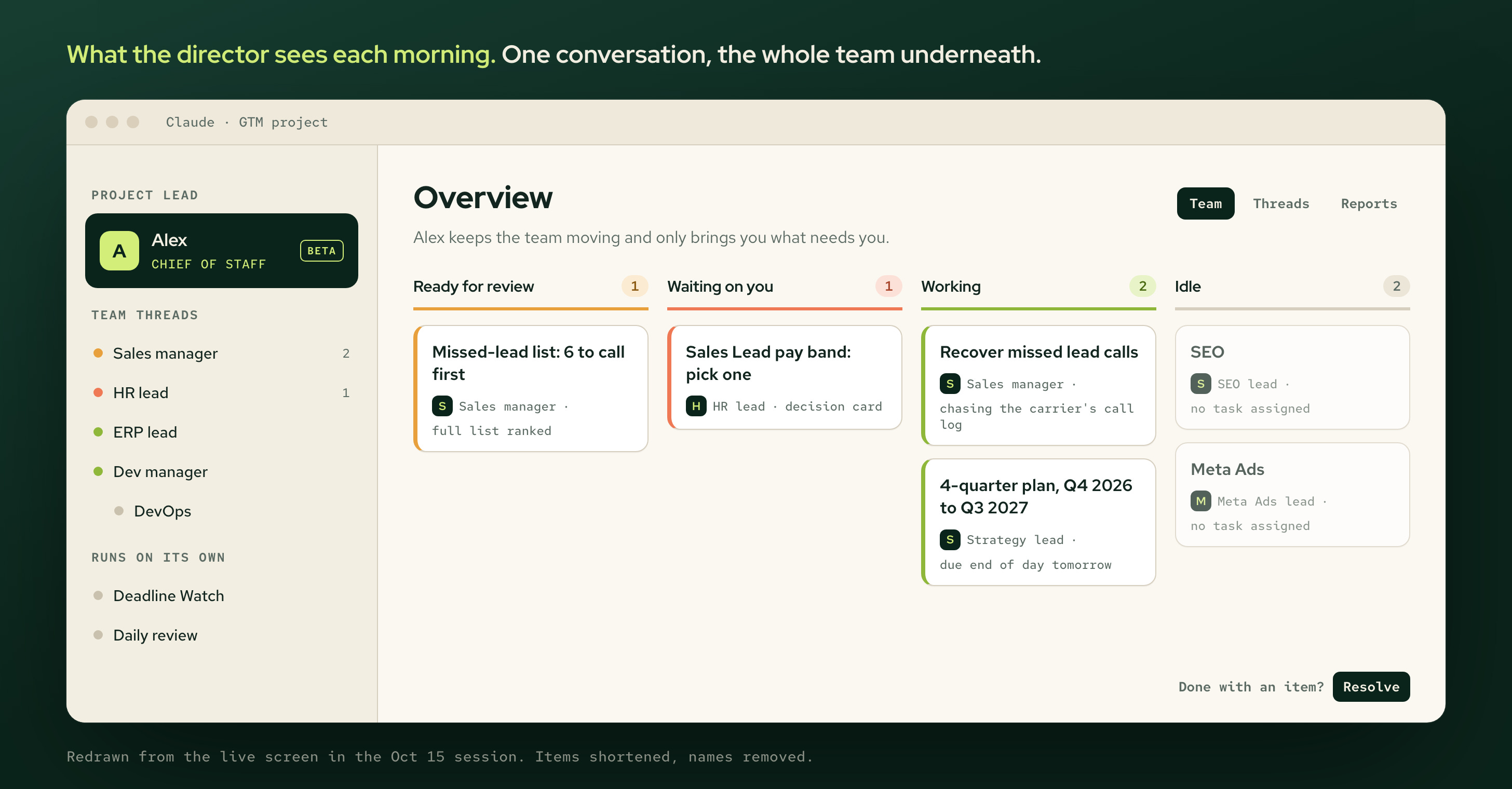
When she opens the overview, every thread sits in one of four groups:
Ready for review: finished work waiting for her OK.
Waiting on you: a thread needs her decision.
Working: in progress.
Idle: nothing assigned right now.
Alex explained the second group when she asked why so many threads were waiting on her:
"Threads show 'waiting on you' when their last message lists a decision. None of them is actually stuck."
When something's done, she clicks Resolve and it leaves the list.
4. One message built the team
She didn't set up the roles one by one. She sent Alex one message:
Alex needs to define threads/named-agents to own GTM actions so they are not dependent on me end to end with PM, Dev mgr, Engineer, QA, DevOps, Site CRO, Sales Manager, Demand Gen Lead, Product Lead, Operations Lead, Reporting Lead, Strategy lead.
Alex wrote a charter giving each role what it owns, what it decides alone and what it brings to her. Then it asked one question: start all 12 now, or start 5 first and the rest after a week. It recommended 5. She started all 12.
Over the next half hour she added more, one line each: Google Ads, SEO, Meta Ads and ERP leads, then "I need a HR lead as well." Alex added one of its own, a definition-of-done lead that only merges work after QA passes it.
Two agents she already had, Deadline Watch and a daily review, kept running on their own, outside the team.
Moving the old chats over
Her old chats held months of work. She asked one of them the obvious question:
"I will be archiving you shortly. but how do I know that Alex will be able to see your session history?"
It can't. Alex can't read another chat's history. So each old chat wrote a handover file that Alex could read, checked against the live systems, grouped by which role now owns each item. Then she archived it. The full handover prompt is in the kit.
5. How the prompts work
Every prompt here is plain language, typed the way she'd talk to a staff member. Three kinds did most of the work.
1. Tell it what happened. The missed calls came up like this:
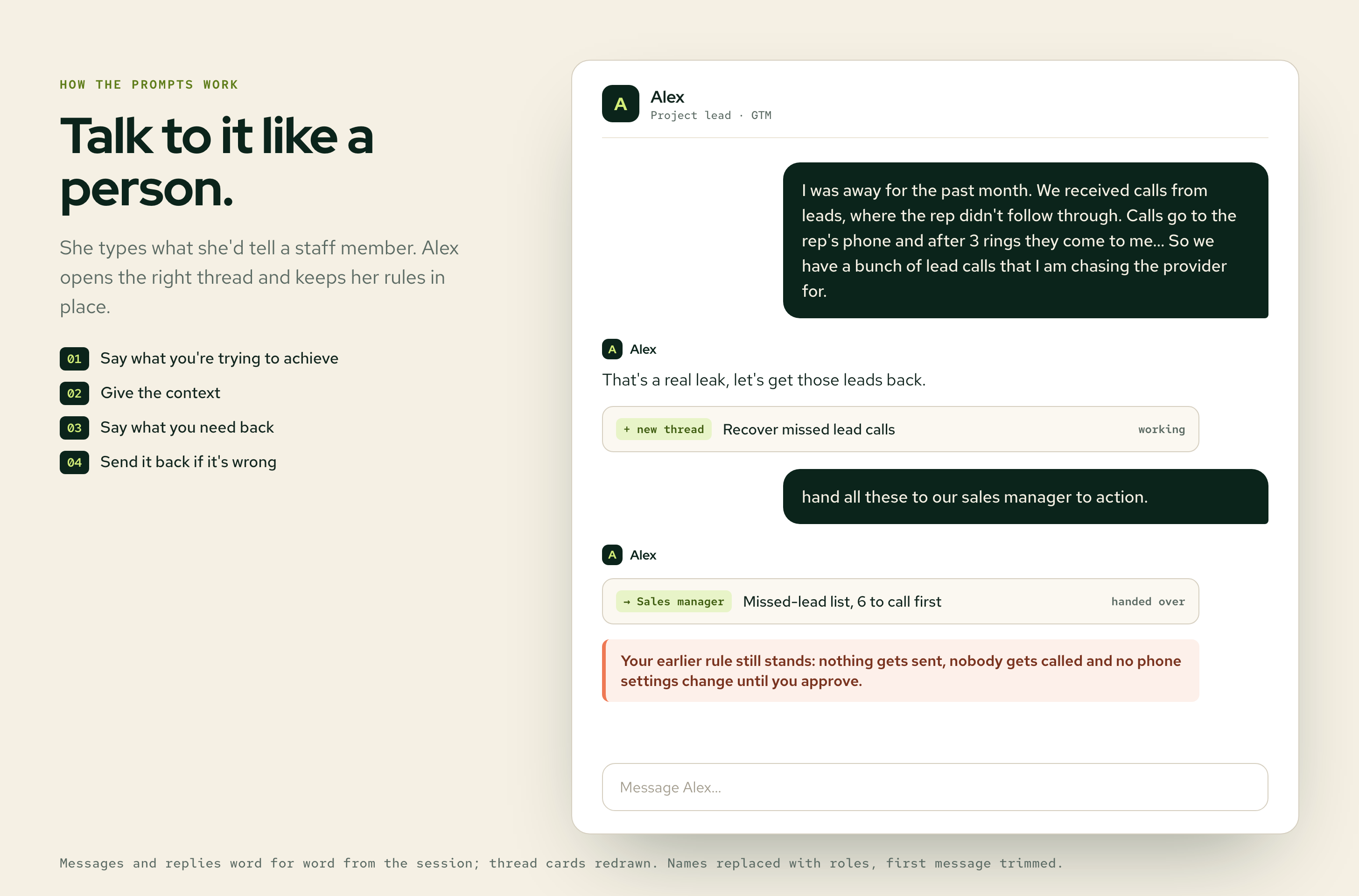
Alex opened a thread called Recover missed lead calls. When the list came back, she sent one line: "hand all these to our sales manager to action."
2. Ask for a recommendation, not a task.
Also, with [the rep] not answering the calls and being overwhelmed, [the owner] suggested we hire a sales lead that reports to me. Need a recommendation from HR lead on the job definition and ad. review what the previous role definitions.
Alex passed it to the HR lead, which reviewed the past role definitions and the rep's scope, then drafted a job definition and an ad.
3. Set the rules once. She told Alex early that nothing goes out without her. When she handed the leads over, Alex repeated it back:
"Your earlier rule still stands: nothing gets sent, nobody gets called and no phone settings change until you approve."
6. The daily rhythm
She asked for the reports in one message:
I need two reports daily. Critical Path in the morning on what I need to focus on and what you need decisions on. And at noon my Sales and margin numbers and projections to target.
Alex set both up for weekdays: the critical path by 8:30 a.m. and sales and margin at noon.
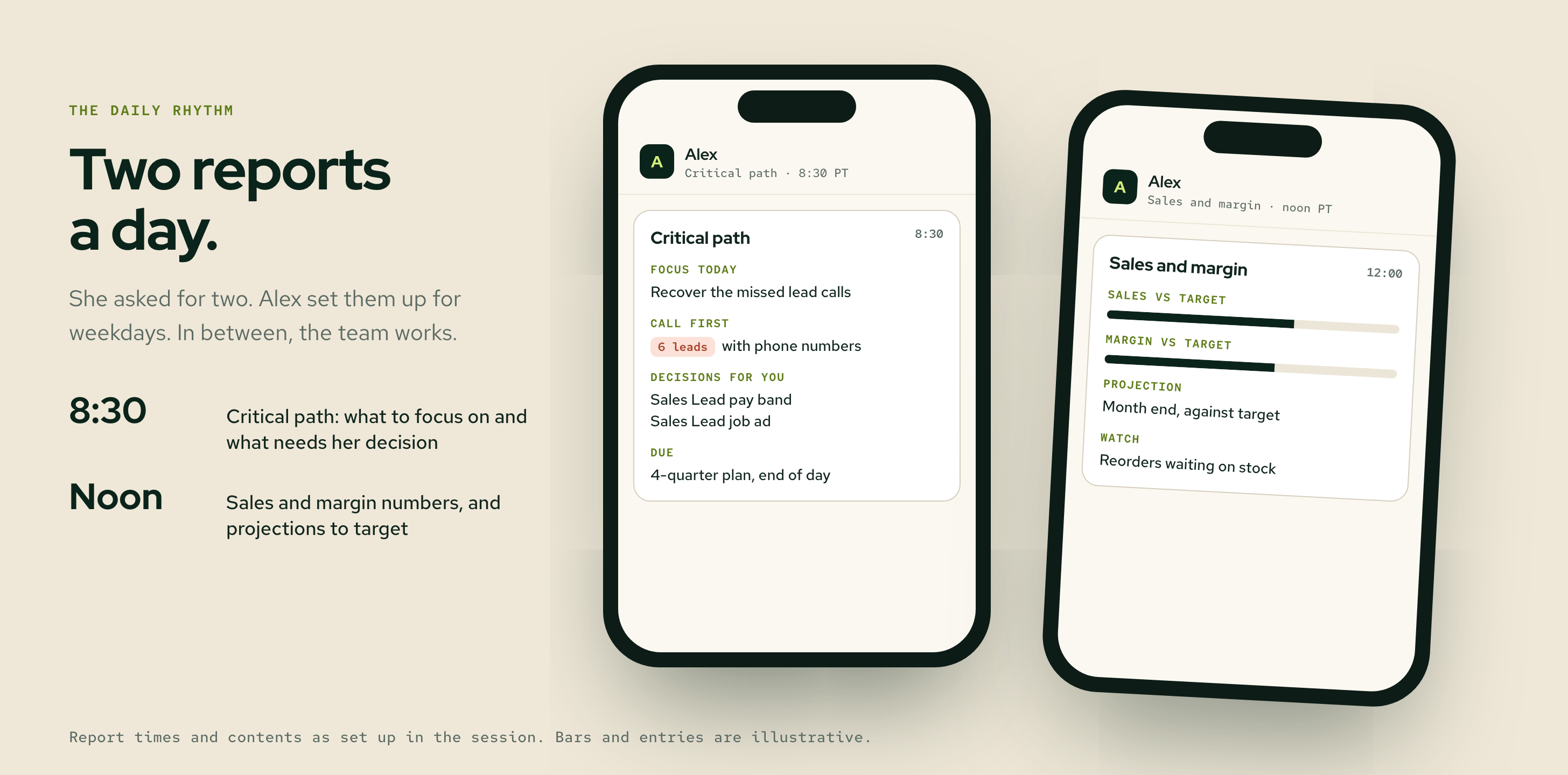
In between, the team works. If something needs her, it shows up as waiting on you.
On the day it went live, the leads list showed 6 leads she could call right away, ranked, with what each one had asked for.
7. Before and after
Before:
About 3 weeks with no lead coverage.
73 follow-up emails drafted, none sent.
About 2% of the covering teammate's time went to this business.
No count of missed calls or forms, because nothing tracked them.
After: what we're measuring.
This is still in progress, so we're not claiming results yet. In the 30-day follow-up we'll report:
leads per week, by channel
the share answered within one business day
callbacks made from the sales manager's list
whether the sales hire is still needed
The first win: every lead is now on a list someone sees each morning.
---
Try this week
Spend 20 minutes listing every place a lead can reach you: phones, forms, inboxes, chat. Count last month's leads from each, and how many got an answer within a day.
If you can't count one of them, that's your first agent.
